Showing posts with label music player. Show all posts

Tuesday, May 21, 2013

VPlayer Video Player FULL v3.1.9 Apk App


VPlayer Video Player FULL v3.1.9
Requirements: for Android OS 2.1+
Overview: The best video player for Android.
VPlayer is the next generation of VPlayer, which brings experimental HW accelerated decoding and rendering to HD MKV/AVI/MOV/FLV/TS/M4V/3GP for most Android devices.
Access your NAS/Wifi/UPnP/DLNA/DVR/Dropbox/Facebook/Gmail videos from VPlayer seamlessly!!!
VPlayer is a HW accelerated Media player for android. It use HW video decoder at various containers and audio codecs combination.
Dual Core/High end devices ( Sensation , Galaxy S/S2 , Nexus-S ) can play 720p even 1080p MKV/AVI/MOV/FLV/TS/M4V/3GP.
VPlayer drains less bettery than SW based players such as MX Video Player, MoboPlayer.
ICS devices can play 1080p files with full HW accelerations, Honeycomb tablets can play 720p MKV with Full HW accelerations.
If you use MIUI, CM7 or unofficial ROMs that can not play MKV/FLV/MOV/AVI using default player, VPlayer is the best solution.
Features
Formats
- AVI,MOV,MKV,FLV,AVI,3GP,3G2,ASF,WMV,MP4,M4V,TP,TS, MTP,M2T
Video Codecs
- HW : MPEG-4,H.264,H.263
- SW : MPEG-4,H.264,RMVB,XVID,MS MPEG-4,VP6,H.263,MPEG-1,MPEG-2
Audio Codecs
- DTS,AC3,AAC,Vorbis,FLAC,MP3,MP2,WMA
- Mutitle audtio tracks support
Subtitle
- (Advanced) SubStation Alpha(.ssa/.ass), SAMI(.smi), SubViewer(.sub), Subrip(.srt), MicroDVD(.sub), MPL2(.txt)
- MKV subtitle extraction supported
- Unicode/Multibyte charset supported.
- Mutiple subtitle tracks support
- Increased subtitle readability with thicker border and shadow around text.
Transport
- HTTP
- RTP/RTSP/RTMP
- MMS
- HTTP Live Streaming with multiple bitrate
Supported devices
* ICS devices, Galaxy Nexus, Nexus S
* Honeycomb tables(TF101,GT10.1,Iconia500) : 720p High@4.1 ( no weighted prediction )
* Samsung Galaxy S2 : 1080p H.264 high@5.1/MPEG-4,1080i AVCHD MTS
* Samsung Nexus S, Galaxy S and variants : 720p H.264 High@5.1
* Samsung Galaxy Tab(7′) : 1080p H.264 High@5.1. 1080i have interlace artifacts.
* Samsung Galaxy Note : 1080p H.264 High@5.1
* HTC Desire HD,ThunderBolt : 720p High@3.1/4.0(some Level 4.0 file have shutter problem)
* HTC Desire and QSD8250 baesd devices : 720p H.264 High@3.
* HTC Evo 3D : 720p High@5.1/1080p High@5.1(some 1080p files have shuttering)
* Dell Streak,Venue : 720p H.264 High@3.1
* HTC wildfire: video capability depends on your firmware.
* Moto Atrix: 720p High@5.1
* Xiao mi: 720p High@4.1
More devices are supporting…
Limitations
* Video capability depends on your devices HW video decodes’ capability.
* Some devices(Moto Defy, Galaxy S/Tab) need gingerbread update.
* Tegra 2 based devices : H.264 High@4.1 ( no weighted prediction )
This software uses code of FFmpeg licensed under the LGPLv3 and its source can be downloaded from our site.
PERMISSIONS:
READ_LOGS: for feedback
INTERNET: streaming support
READ_PHONE_STATE: stop playback when calling
WAKE_LOCK: keep screen up
WRITE_EXTERNAL_STORAGE: rename or delete file
MODIFY_AUDIO_SETTINGS: change audio effects
VPlayer is the best video player for Android.
KW:
VPlayer, VPlayer Free, VPlayer Unlocker, Rockplayer, Mobo, MoboPlayer, Mobo Player,Mobo Video Player,MX Video Player,QQPlayer, VLC, VLC Android, Video Player, Media Player, Music Player, Streaming Player, Stream, Streaming, DLNA, MPlayer, KMPlayer
What’s in this version:
1. Improve cache the online video or audio file to external storage
2. Improve subtitle code
3. Fix playback m3u8 bug on some website
4. Fix refresh button can not work bug
5. Fix some crash and ANR bug

https://play.google.com/store/apps/details?id=me.abitno.vplayer.t
Download Zippyshare

Sunday, May 12, 2013

ZPlayer v3.8 Apk Full App


Overview: Windows Phone 7 / Zune themed media player for Android OS.


ZPlayer v3.8
Requirements: Android 2.1 and up


Welcome to ZPlayer a Windows Phone 7 / Zune themed player, a better richer and more interactive media player.
Get album reviews, artist biographi
you might need to uninstall the application before upgrading to version 3.x some database changes have made the application crash after upgrading, but a new installation (or clearing application data) should fix the issue.
note The Application uses android framework Audio Effect API, this API was introduced since android 2.3. Therefore only devices that have at least Android version 2.3 will be able to take advantage of this feature.
++ if you use a third party equalizer that controls the output mix for all media playing on the device, disable it before using this application. This application needs to control its own audio effects.
Now with more widgets, fast forward and rewind controls, headset controls home screen customization, equalizer, audio effects. You can start with your own media, and learn about other artists, other tracks and what other people are listening too. Pair this media player with a last fm account and submit likes, now playing status, and scrobble tracks.
*
-audio effects implemented include Equalizer, Bassboost and Virtualizer based on Android 2.3
What’s in this version:
Added Radio recording feature
Added Dutch translation
Added a “Most Played” auto generated playlist
Changed application main default font(custom fonts can still be used)
Changed Artist related album APIs.
Changed “shuffle all” play mode
Improved Album cover art finding skills.
Improved podcast loading speed
Improved playback speed
fixed the “Clear” button in the Downloads page to also remove stuck podcast downloads.
+other performance improvements
https://play.google.com/store/apps/details?id=app.odesanmi.and.wpmusic

Download Zippyshare

Wednesday, May 8, 2013

Noise FM Radio – Pro v5.1.4 Apk Mediafire

Noise FM Radio – Pro v5.1.4 Apk Mediafire

Noise FM Radio - Pro apk
$1.99
Noise FM Radio – Pro v5.1.4 Apk | 510 KB | Mediafire
Requires Android:2.1 and up
Application for listening radio “Noise FM”!!

App Review:

Bitrate: 128 kBits
Freq: 44.1 kHz
Features:
  • Scrobbling to Last.fm
  • Visualization
  • Downloading of tracks (saves to Music/Noise FM)Features of full-version:
  • Equalizer
  • Buffer size
  • No ads
What’s in this version :
  • download-manager
  • fixed problem when the name of some tracks are displayed as Unknown


 What’s in this version :
  • download-manager
  • fixed problem when the name of some tracks are displayed as Unknown


Monday, May 6, 2013

99M v1.1.0 Apk Full App


This is an App made for those who live through music and think about listening to it as an easy and pleasant experience.
Be always in control of all your songs, what you are listening to, and share it with your friends.
Keep it easy, keep it on…
      
99M v1.1.0
Requirements: Android 2.3+

Features:
- Simple and intuitive interface and navigation.
- Identification icon next to currently/now playing track.
- Tracks sorted by name, album, artist, genre or playlist.
- Slide track changer.
- Small and Large widgets for Home Screen.
- Additional options with just a long press.
- Track’s progress directly on the notification area.
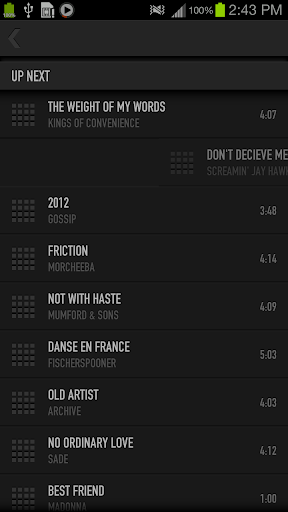
- Up Next track queue with easy management.
- Easily managed playlists.
- Automatically updated lists when you delete or add music files.
- Automatic or manual tweets with what you are listening.
- Graphic Equalizer with at least 5 bands, depending on your device’s hardware.
- Graphic Bass Boost and 3D Effect controls.
- Simple visual help.
What’s in this version:
Added two widgets (small and large) to easily manage music playback from Home Screen.
Download Zippyshare


Sunday, May 5, 2013

Rocket Music Player Premium v2.0.3 Apk Full App


Rocket Music Player

Rocket Music Player Premium v2.0.3
Requirements: Android v2.1+
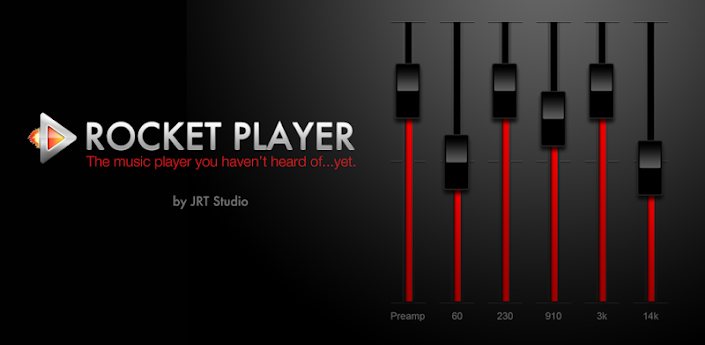
Overview: Rocket Music Player was designed with both the easy and advanced listener in mind. The easy to use interface allows you to browse to the music you want to hear faster without getting bogged down in details and extra buttons.

Rocket Music Player was designed with both the easy and advanced listener in mind. The easy to use interface allows you to browse to the music you want to hear faster without getting bogged down in details and extra buttons. Additionally, advanced options give you an opportunity to create your own music listening experience with quick playlist editing and a dynamic equalizer. f000h
This free version contains key features focused on streamlining your music player interaction including:
☆ Browse and play your music by albums, artists, genres, songs, podcasts and playlists
☆ Create and edit playlists within the player
☆ Tag editing
☆ 5 band graphic equalizer (Android 2.3+)
☆ iSyncr Live Lists dynamically update while playing
☆ Fade in and out when playing and stopping songs
☆ Controllable from the lockscreen
☆ Podcast bookmarking
☆ 4×1 and 4×2 widget
☆ Support for most scrobbling apps
When combined with iSyncr, an app for syncing your iTunes music with your Android device, Rocket Player allows you to:
☆ Sync new playlists and playlist changes back to iTunes
☆ Sync podcast bookmarks to and from iTunes
☆ Sync song ratings to and from iTunes
☆ iSyncr Live Lists dynamically update while playing
To take your music listening to the next level, upgrade Rocket Player with the Rocket Player Premium Unlocker. The Premium version unlocks the following features:
☆ Support for more audio formats: Apple Lossless (alac), APE (ape), Musepack (mpc), Free Lossless Audio Codec (flac), True Audio (tta), Waveform Audio File (wav), and Windows Media Audio Non-Lossless (wma)
☆ Album art downloading
☆ 10 band graphic equalizer
☆ Limiter
☆ Assign an equalizer preset to a song, genre, playlist, artist, album, or podcast
☆ Preamp
☆ Right/Left balance control
☆ Replay Gain
☆ Gapless playback
☆ Crossfading
☆ Albums marked gapless in iTunes will play gapless when used with iSyncr
☆ Start/stop time from iTunes is used when used with iSyncr
In the works:
☆ Folder view
Need help? Visit http://www.jrtstudio.com for quick tips or to contact support.
Want to help translate to your language?
http://www.getlocalization.com/JRTStudio/
Follow us on Twitter @JRTStudio for app updates and giveaways.
© 2012 JRT Studio LLC | iSyncr is a trademark of JRT Studio LLC | iTunes is a trademark of Apple Inc., registered in the U.S. and other countries.
Recent changes:
* Version 2.0.3
* Many bug fixes, more info on jrtstudio.com
* Version 2.0
** NEW: Personalize Rocket Player with purple and blue downloadable themes
** NEW: Flip through your tracks faster than ever with new album art gesture support
** NEW: Shuffle smarter with a new algorithm
** NEW: Save the “Now Playing” playlist as a new playlist to keep permanently
** NEW: Customize your lockscreen with the new lockscreen widget (4.2+)
Visit Website
Less description »
Note: all premium features available

https://play.google.com/store/apps/details?id=com.jrtstudio.AnotherMusicPlayer
Download Zippyshare

djing PRO DJ mixer turntables v1.1.2 Apk Full App


edjing PRO DJ mixer turntables v1.1.2
Requirements: Android 4.0+
Best App of the Year – AppAwards 2013
☆ Special launching price! ENJOY edjing PRO SPECIAL OFFER & SAVE $7 (USD)
The pro version natively includes:
- the Pre Cueing option so you can prepare your transitions in advance
- TK Filter (Convergent + Divergent) to play with the resonance frequencies of your music
☆ edjing is the best Pro DJ app on Android ☆
It’s the 1st social DJ App to Play, Mix and Share your sounds!
“edjing is more than just a successful app, it stands out by its wide range of effects offer and its smooth usage.”Androidmag.de
A perfect way to share your passion for music and let others discover your mixing talent!
☆ edjing PRO EXCLUSIVITY : DEEZER COMPATIBILITY
In addition to your Android native Music file, access the whole Deezer catalogue and mix more than 15 million tracks! (available for Deezer Premium Plus Accounts)
☆ JUST LIKE A REAL DJ WOULD:
Realize professional-like transitions thanks to the crossfader. Match the beats manually or click on the Sync button to synchronize the bpm (beats per minute) of your tracks.
☆ PLAY. MIX. SHARE & PARTY!
Being a DJ has never been so affordable! Party all night with edjing! Wow your friends during parties by mixing your songs like a Pro DJ or let edjing mix your playlists while you’re dancing your heart out!
Thanks to the Auto mix, edjing does all the transitions for you. You can customize the transitions you want and program the auto synchronization of bpm (auto sync bpm option) so that the beats of your music always match.
Have fun & Remix the trendiest tracks of the moment on your new pocket turntables!
☆ FEEL THE BEATS & REINVENT YOUR MUSIC:
Add Pro DJ effects and keep reinventing the music you love! Scratch or add special sound effects to enrich your mix and create new sounds: your sound!
Enjoy a wide range of pro sound effects: scratch, flanger, echo, loop, pitch, equalizer, cue point. You can add multiple DJ effects at the same time: scratch on a loop or add a Flanger on a loop for instance.
You can also get more advanced Pro DJ effects via our in-app Store!
All the effects are available via the FX menu (FX button at the bottom of the turntable)
☆ RECORD & SHARE YOUR CREATIONS WITH YOUR FRIENDS:
Record your mixes and share them with your friends on Facebook and Twitter thanks to the “eMix” feature. Record up to a whole hour of mixing. After recording your mix, don’t forget to share them with your friends.
☆ Let yourself immerse in a world of music: yours!
YOU ARE THE DJ, NOW IT’S OVER TO YOU!
More than 3,5 millions Downloads already! Join our DJ community and take control of your parties!
Play. Mix. Share.
N.B:
edjing has developed its own Sound System to offer you the best audio experience possible: real time sound processing enabling you to mix your music live with increasingly realistic Pro DJ effects.
edjing also gives you the possibility to listen to your mixes and those of your friends on its internet website: HERE
Make your move! Play. Mix. Share
General Characteristics:
☆ OS: Android 4.0 and upper
☆ Screen Compatibility 3.7″ & upper
☆ eMix function to share your mix on Facebook and Twitter (depending on Android phone)
☆ Direct Access to your Android native Music file to mix your own music
☆ Deezer Compatibility
☆ edjing PRO Exclusivity: Pre Cueing & TK Filter natively included
☆ 2 Turntables + Cross Fader
☆ Scratch / Pitch on Vinyl
☆ Wide Sound Spectrum for optimum Beats localization
☆ Pro DJ effects (FX): Cue, Flanger, Loop, Echo, equalizer
☆ A store with additional effects (FX): Reverse, Double flipping, Auto Scratch, Reverbs, TK Oscilllator, Gate
☆ The possibility to earn vinyls to buy effects
☆ Possibility to record your mix: recording in High Definition CD quality, wave format
☆ “AutoMix” mode for automatic transitions
☆ BPM synchronization (sync)
☆ Ability to remix mp3 files of more than 1 hour
What’s in this version:
1.1.2:

- RESOLVED: Compatibility with devices using Intel Inside processors
- General optimization of the app performances
- Minor bugs resolution
1.1.1:
- In-App Purchases: Bug Resolved. Store ready-to operate again. You can now buy Vinyl Packs.
1.1.0:
- NEW: Access your SoundCloud playlists and Mix all the music you love!
- Menu and music library graphic redesign
- Bug resolution:
- Reseting of the app after loading a music: Resolved
Download Zippyshare

VPlayer Video Player FULL v3.1.8 Apk App


VPlayer Video Player FULL v3.1.8
Requirements: for Android OS 2.1+
Overview: The best video player for Android.
VPlayer is the next generation of VPlayer, which brings experimental HW accelerated decoding and rendering to HD MKV/AVI/MOV/FLV/TS/M4V/3GP for most Android devices.
Access your NAS/Wifi/UPnP/DLNA/DVR/Dropbox/Facebook/Gmail videos from VPlayer seamlessly!!!
VPlayer is a HW accelerated Media player for android. It use HW video decoder at various containers and audio codecs combination.
Dual Core/High end devices ( Sensation , Galaxy S/S2 , Nexus-S ) can play 720p even 1080p MKV/AVI/MOV/FLV/TS/M4V/3GP.
VPlayer drains less bettery than SW based players such as MX Video Player, MoboPlayer.
ICS devices can play 1080p files with full HW accelerations, Honeycomb tablets can play 720p MKV with Full HW accelerations.
If you use MIUI, CM7 or unofficial ROMs that can not play MKV/FLV/MOV/AVI using default player, VPlayer is the best solution.
Features
Formats
- AVI,MOV,MKV,FLV,AVI,3GP,3G2,ASF,WMV,MP4,M4V,TP,TS, MTP,M2T
Video Codecs
- HW : MPEG-4,H.264,H.263
- SW : MPEG-4,H.264,RMVB,XVID,MS MPEG-4,VP6,H.263,MPEG-1,MPEG-2
Audio Codecs
- DTS,AC3,AAC,Vorbis,FLAC,MP3,MP2,WMA
- Mutitle audtio tracks support
Subtitle
- (Advanced) SubStation Alpha(.ssa/.ass), SAMI(.smi), SubViewer(.sub), Subrip(.srt), MicroDVD(.sub), MPL2(.txt)
- MKV subtitle extraction supported
- Unicode/Multibyte charset supported.
- Mutiple subtitle tracks support
- Increased subtitle readability with thicker border and shadow around text.
Transport
- HTTP
- RTP/RTSP/RTMP
- MMS
- HTTP Live Streaming with multiple bitrate
Supported devices
* ICS devices, Galaxy Nexus, Nexus S
* Honeycomb tables(TF101,GT10.1,Iconia500) : 720p High@4.1 ( no weighted prediction )
* Samsung Galaxy S2 : 1080p H.264 high@5.1/MPEG-4,1080i AVCHD MTS
* Samsung Nexus S, Galaxy S and variants : 720p H.264 High@5.1
* Samsung Galaxy Tab(7′) : 1080p H.264 High@5.1. 1080i have interlace artifacts.
* Samsung Galaxy Note : 1080p H.264 High@5.1
* HTC Desire HD,ThunderBolt : 720p High@3.1/4.0(some Level 4.0 file have shutter problem)
* HTC Desire and QSD8250 baesd devices : 720p H.264 High@3.
* HTC Evo 3D : 720p High@5.1/1080p High@5.1(some 1080p files have shuttering)
* Dell Streak,Venue : 720p H.264 High@3.1
* HTC wildfire: video capability depends on your firmware.
* Moto Atrix: 720p High@5.1
* Xiao mi: 720p High@4.1
More devices are supporting…
Limitations
* Video capability depends on your devices HW video decodes’ capability.
* Some devices(Moto Defy, Galaxy S/Tab) need gingerbread update.
* Tegra 2 based devices : H.264 High@4.1 ( no weighted prediction )
This software uses code of FFmpeg licensed under the LGPLv3 and its source can be downloaded from our site.
PERMISSIONS:
READ_LOGS: for feedback
INTERNET: streaming support
READ_PHONE_STATE: stop playback when calling
WAKE_LOCK: keep screen up
WRITE_EXTERNAL_STORAGE: rename or delete file
MODIFY_AUDIO_SETTINGS: change audio effects
VPlayer is the best video player for Android.
KW:
VPlayer, VPlayer Free, VPlayer Unlocker, Rockplayer, Mobo, MoboPlayer, Mobo Player,Mobo Video Player,MX Video Player,QQPlayer, VLC, VLC Android, Video Player, Media Player, Music Player, Streaming Player, Stream, Streaming, DLNA, MPlayer, KMPlayer
What’s in this version:
1. Improve cache the online video or audio file to external storage.
2. Use RGBA8888 instead of RGB565 render video.
3. Add clear cache media files feature.
4. Fix auto play next video bug.
5. Fix background playback bug.

https://play.google.com/store/apps/details?id=me.abitno.vplayer.t

Download Instructions:Install and run, no unlocker needed.
Download Zippyshare

MAVEN Voice Recorder Pro v1.9.1 Apk Full App


MAVEN Voice Recorder Pro v1.9.1
Requirements: Android 2.2+

MAVEN Recorder is a great tool that enables you to record high quality audio on your Android device in a simple and quick way.
It provides you with 3 different recording modes (voice, music, and general) in order to match your purpose of the recording. Supporting various sampling rates will give you a freedom to select the quality of the recording depending on the situation, and it is equipped with a pause button, so you can easily start and stop the recording repeatedly at any time you like while the recording. It can also work in Background Service mode both for recording and replaying.
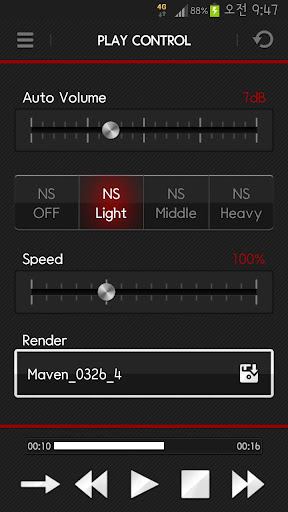
In addition MAVEN Recorder enables high quality playing with its Noise suppressor, Automatic Volume Stabilization, Time Scale Modification.
1. Even if recorded sound is too quite due to distance between the microphone and the user, the volume compression setting pulls soft sounds louder and clearer.
2. AVS generates a more enjoyable balance by moderating the dynamic audio range. The volume compression setting pulls loud and soft sounds toward a mid-point in the dynamic range.
3. Improving intelligibility by eliminating unwanted noise and hum.
4. Recorded signal can be played faster or slower. (50%~ 200%)
Main Features:
1. Recording File Format Support : wav, mp3
2. Recording Sampling Rate Supported : 16, 22.05, 32, 44.1Khz
3. Recording Mode Supported : Normal, Voice, Music
4. Play Mode Supported : AVS(Automatic Volume Stabilization)
5. Play Mode Supported : TSM(Time Scale Modification)
6. Play Mode Supported : NS(Noise Suppressor)
7. Recording Level Meter Support
8. Record, Play, Stop, Pause, Loop
9. Application movable to SD Card
10. Folder Support
11. Bluetooth
12. Render
13. Sort
14. Settings for incoming calls while recording
Language Translations:
1. English
2. Korean
3. Chinese
4. Japanese
Technical Support:
This Version is compatible with Android 2.2 or Higher
Download Zippyshare

    Unordered List

    Text Widget